Screen Off 安卓手機螢幕鎖,點一下鎖定!
大家都知道按一下側邊的電源鍵就可以關閉螢幕、鎖住手機,這個再簡單不過的動作為什麼還要弄個 APP 來執行呢?
其實一樣也是懶惰的關係,點螢幕上的按鈕比較快而且不用出力,點側邊電源鍵還要出那麼一點點力氣… 有時候單手使用手機時還要扭一下、摳過去實在也不方便。
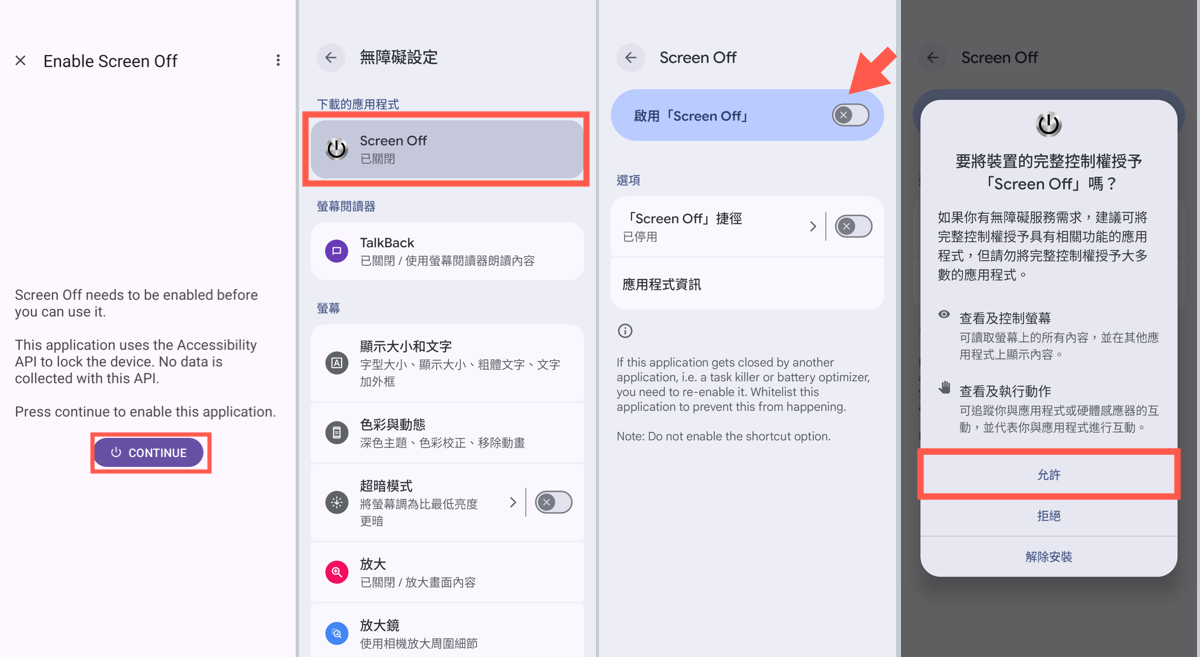
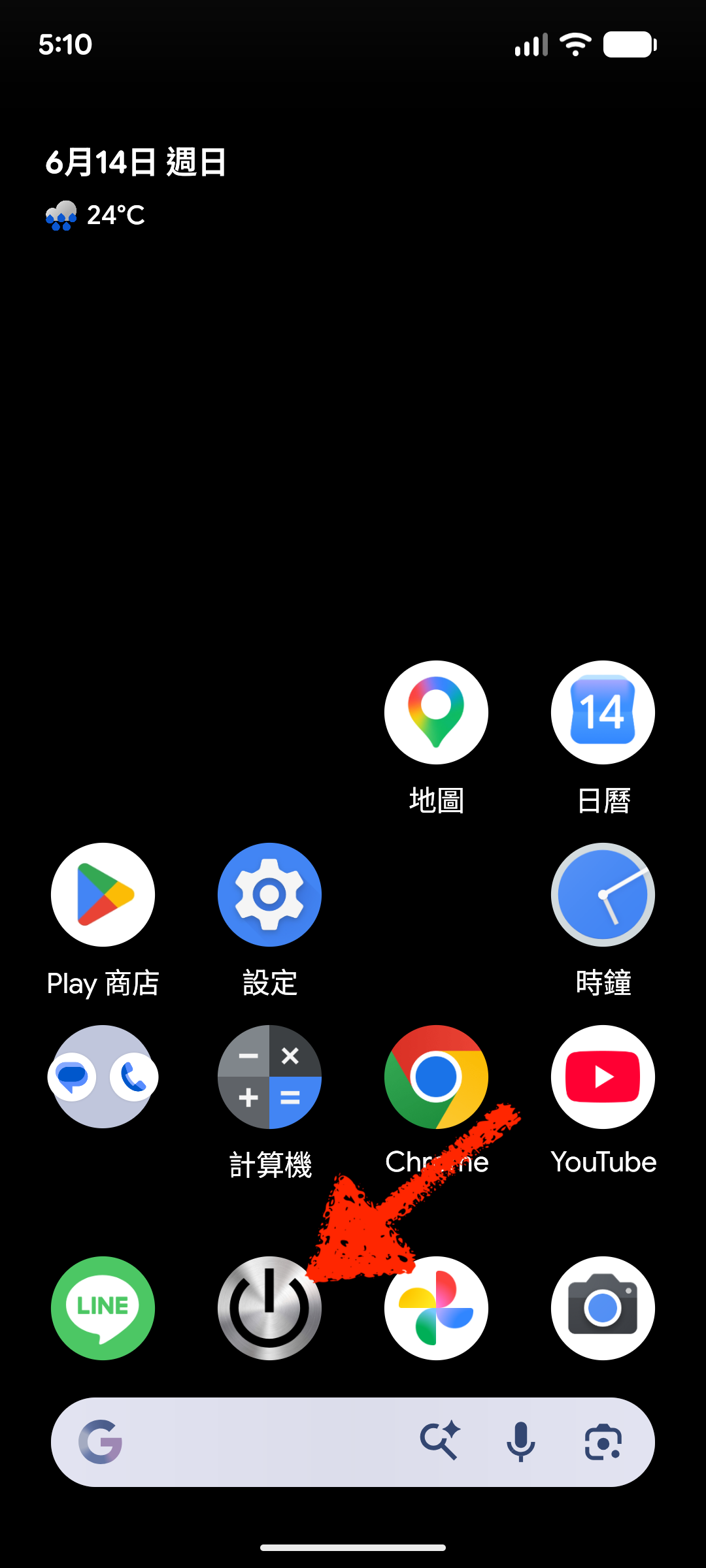
如果你也有這種懶惰的症頭,可以下載安裝 Screen Off 這個 Android 手機專用的小程式,裝好之後把它放在首頁你喜歡的位置,最好是左手拇指(或右手,看你習慣)可以輕鬆點到的地方,這樣一來當你單手使用手機時,可以輕鬆鎖定螢幕,不必再用奇怪的姿勢在那邊按不到電源鍵。
▇ 軟體小檔案 ▇ (錯誤、版本更新回報)
- 軟體名稱:Screen Off
- 軟體版本:26.04.22
- 軟體語言:英文
- 軟體性質:免費軟體(含廣告)
- 檔案大小:4MB
- 系統支援:Android 手機
- 官方網站:emveeha (https://emveeha.github.io/)
- 軟體下載:Download 下載

Really appreciate the nuanced perspective shared here. It is rare to see discussions that go beyond surface-level observations to address the underlying practical tradeoffs involved in executing this consistently. The distinction between conceptual planning and daily tactical maintenance is where most projects either succeed or slowly fall behind.
In our own workflow reviews, maintaining quick reference tools and minimal-friction resources has made a measurable difference in team efficiency. For example, when conducting social media trend monitoring and creator asset reviews, having access to an efficient tiktok story viewer streamlines the process of evaluating active visual hooks without cumbersome account switching. Thanks for putting together such a well-structured article, definitely bookmarking this for reference.
減少按電源鍵的次數,可以讓手機用更久